01
Prepare
Your Pine strategy and bag, side by side.
Upload a .pine file or edit it directly. Add symbols through TradingView search, paste a list, or reuse the bag you tested last time.
Learn the workflow →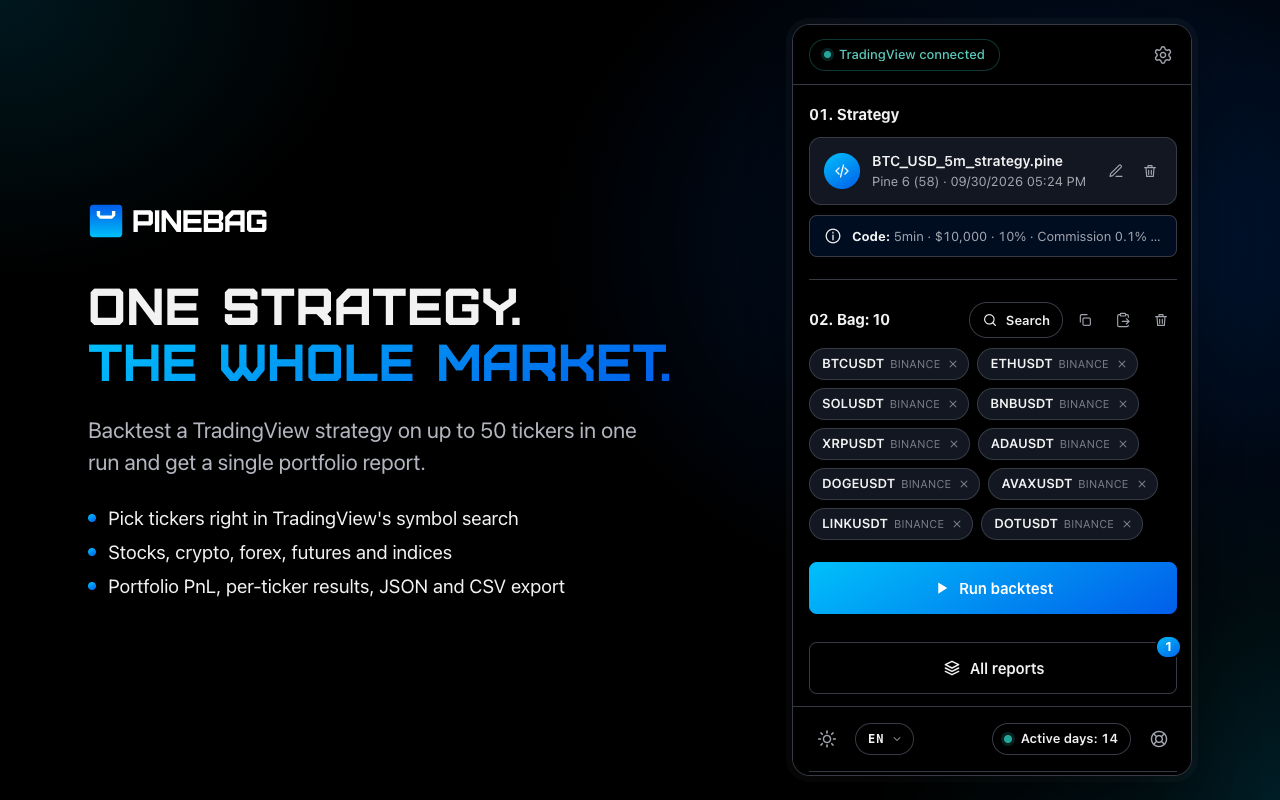
Portfolio backtesting, inside TradingView
Run a Pine Script strategy across up to 50 symbols and turn separate tests into one portfolio-level answer.
A faster research loop
Load your strategy once. Fill the bag. PineBag repeats the same setup for every market and keeps the results together.
Prepare
Upload a .pine file or edit it directly. Add symbols through TradingView search, paste a list, or reuse the bag you tested last time.
Learn the workflow →Understand
See the cumulative equity curve, net profit, drawdown and contribution of each symbol before drilling into the details.
Read the reports guide →
Compare
Rank tickers, inspect yearly and monthly periods, switch Long and Short filters, and compare performance without rebuilding a spreadsheet.
Explore analysis tools →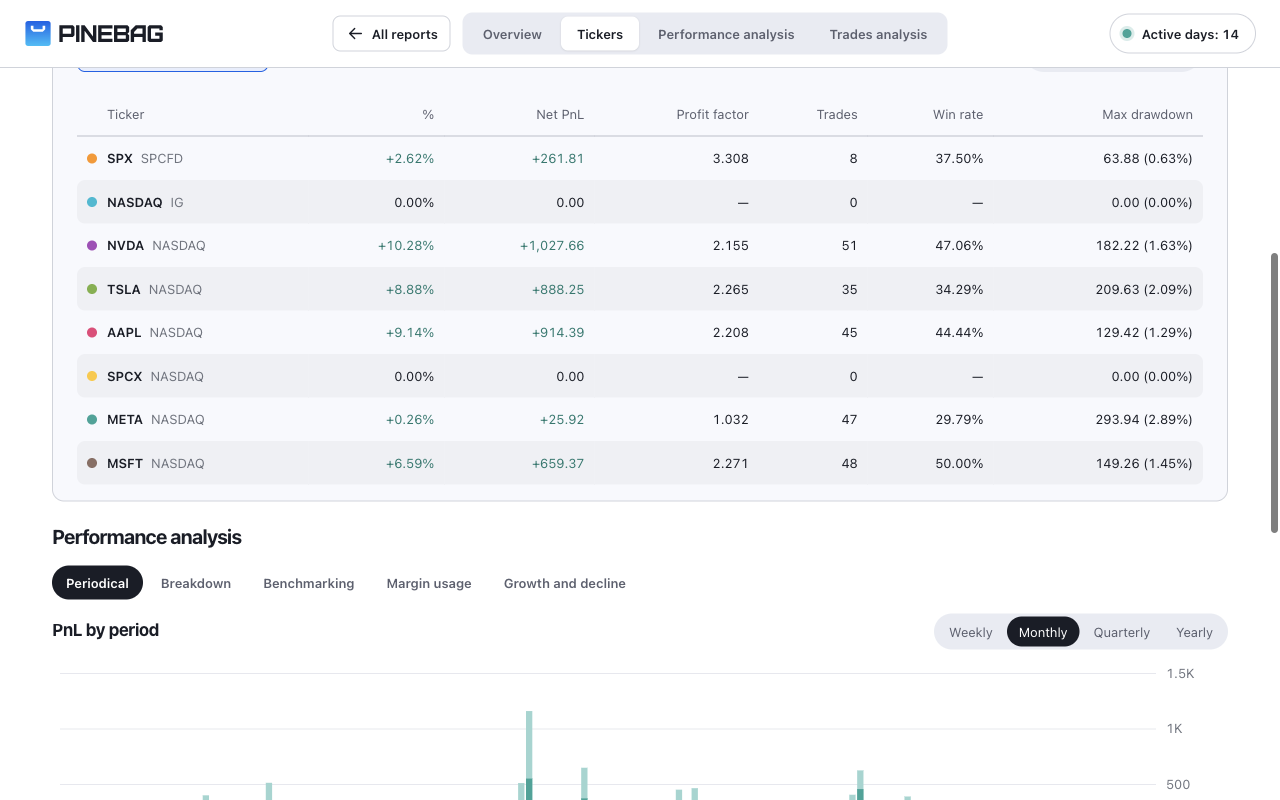
Verify
Study trade distributions, timing, streaks and individual rows. Export the complete report as JSON or filtered trades as CSV.
Understand trade analytics →
Everything in one workflow
Choose whether script values or TradingView Properties take priority.
Test up to 5,000 visible bars on any TradingView plan.
Save the latest 50 reports locally and export JSON or CSV.
Strategy source, ticker names and report data stay in your browser.
Documentation
A visual, step-by-step guide from installing PineBag to reading the last trade in a portfolio report.
Open PineBag Docs →Simple pricing
14-day free trial. No card required.
$18/ month